Secure Your Home Network from Digital Eavesdropping
Are you constantly worried that your home network is a leaky sieve, exposing your private conversations and browsing habits to anyone with a little technical know-how? The fear of digital eavesdropping isn’t just for spy thrillers anymore. With smart devices populating every corner of our homes and our lives increasingly online, the idea that someone could be listening in on our smart speaker interactions, intercepting our financial data, or even watching our home security feeds from afar is a legitimate concern. I used to brush off these anxieties, assuming my standard Wi-Fi password was enough. I learned the hard way, through a brief but chilling experience where my smart home devices started acting erratically, that ‘good enough’ is rarely good enough when it comes to digital security. What I discovered in the aftermath completely changed how I approach my home network, moving from passive user to proactive protector. It’s not about being a cybersecurity expert, but about understanding a few key vulnerabilities and implementing simple, effective safeguards.
Key Takeaways
- Implement WPA3 encryption on your Wi-Fi to secure your data from interceptors.
- Regularly update all device firmware and software to patch security vulnerabilities.
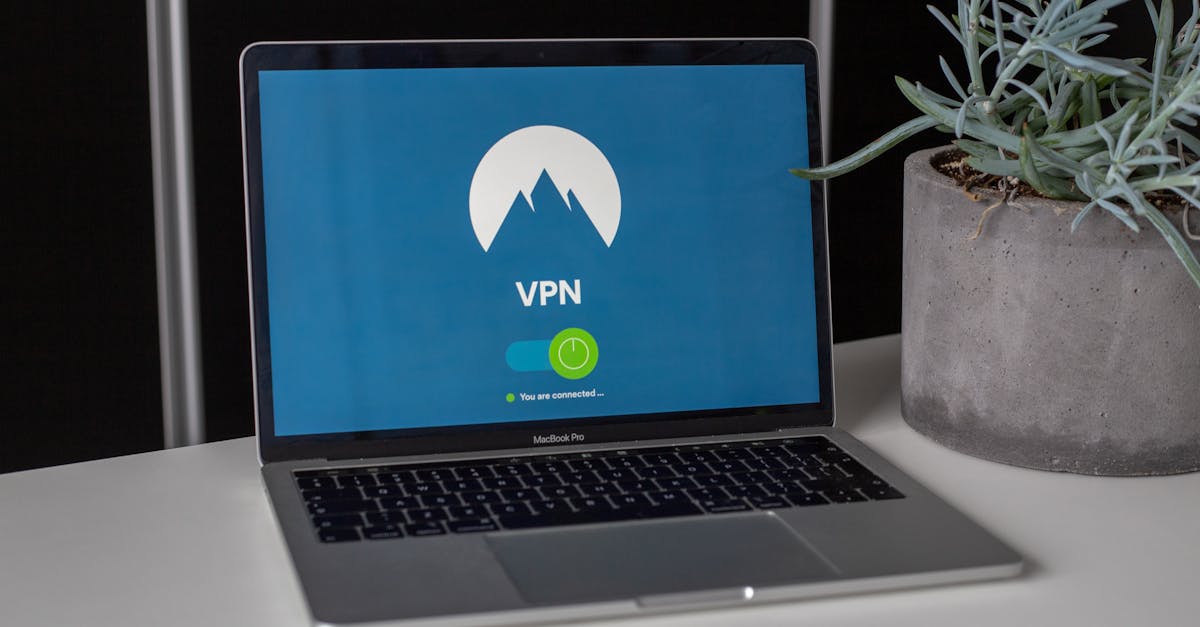
- Use a Virtual Private Network (VPN) for all sensitive online activities to encrypt your traffic.
- Segment your network by creating a separate guest or IoT network to isolate smart devices.
Upgrade Your Wi-Fi Security Protocol to WPA3
When I first set up my home Wi-Fi years ago, I just clicked ‘next’ on all the default settings. Like many, I assumed WPA2 was perfectly fine because it was widely used. The mistake I see most often is this reliance on outdated or less robust encryption. WPA2, while better than its predecessors, has known vulnerabilities that can be exploited by determined attackers. What changed everything for me was when I realized my router actually supported WPA3, the latest and most secure Wi-Fi Protected Access protocol. Upgrading to WPA3 isn’t just a minor tweak; it’s a fundamental enhancement to your network’s defenses.
WPA3 offers stronger encryption algorithms and a more robust handshake process, making it significantly harder for unauthorized individuals to intercept your network traffic. In my experience, the upgrade process is straightforward for most modern routers. You typically log into your router’s administration panel (usually via a web browser), navigate to the Wi-Fi security settings, and select WPA3 from the dropdown menu. If your devices don’t all support WPA3, many routers offer a ‘WPA3/WPA2 Transition Mode’ which allows older devices to connect while newer ones use WPA3, ensuring you don’t lose connectivity. The real-world context here is critical: every packet of data transmitted over your Wi-Fi network, from your browsing history to your smart speaker commands, is a potential target. WPA3 adds a much-needed layer of privacy and integrity to that transmission, reducing the risk of someone digitally eavesdropping on your home. This simple change alone can significantly elevate your home network’s security posture, moving you from merely protected to actively secured against current threats.
Segment Your Network with a Guest or IoT Wi-Fi
Before I learned about network segmentation, all my devices – my laptop, phone, smart TV, security cameras, smart lights, and even my kids’ tablets – were all on the same Wi-Fi network. This felt convenient, but I soon realized it was a huge security flaw. The mistake I see most often is people treating their home network as a single, undifferentiated entity. In my experience, this creates a domino effect: if one vulnerable smart device is compromised, an attacker gains a foothold to potentially access all your other devices, including those storing sensitive personal data.
What changed everything for me was setting up a separate Wi-Fi network specifically for my smart home (IoT) devices and another for guests. Most modern routers offer a guest network feature, and some even have dedicated IoT network options. This process typically involves logging into your router settings and enabling these additional networks. The key insight here is isolation. By putting your smart devices, which often have less robust security and receive fewer updates, on their separate network, you create a barrier. If a smart bulb, for instance, were to be exploited, the attacker would only have access to that isolated network, not your main network where your computer and financial apps reside. This drastically reduces the potential blast radius of a breach. For guests, it means they can access the internet without having access to any of your internal network resources, ensuring their devices can’t inadvertently (or intentionally) snoop on your files. This isn’t just about convenience; it’s about building a layered defense, acknowledging that not all devices are created equal in terms of security and protecting your core digital life.
Use a VPN for All Sensitive Online Activities
There was a time when I thought VPNs were only for tech-savvy individuals trying to access geo-restricted content. I also thought, ‘I’m just browsing at home, what do I need to hide?’ This common misconception overlooks the fundamental security benefit of a Virtual Private Network: encryption beyond your local network. The mistake I see most often is people assuming their Wi-Fi encryption (even WPA3) protects their data once it leaves their router. It doesn’t. Once your data hits your Internet Service Provider’s (ISP) network, or any public Wi-Fi, it’s potentially exposed. What changed everything for me was understanding that my ISP could, theoretically, see every website I visited, and potentially even sell that data.
Using a reputable VPN encrypts your internet traffic from your device all the way to the VPN server, creating a secure tunnel. This means that even if someone were to digitally eavesdrop on your Wi-Fi or tap into your ISP’s network, all they would see is scrambled, unintelligible data. This is particularly crucial for sensitive activities like online banking, shopping, or handling personal health information. In my experience, a good VPN service is easy to install and use on all devices, from laptops to smartphones. I also found that investing a modest annual fee in a quality VPN is a small price to pay for the peace of mind and enhanced privacy it provides. Think of it as putting a secure envelope around every piece of information you send over the internet. This takes your personal digital security from a local defense to an end-to-end encrypted fortress, significantly reducing the chances of anyone intercepting your private data.
Regularly Update Firmware and Software on All Devices
I used to dread software updates. They always seemed to pop up at inconvenient times, and I often postponed them, thinking ‘it’s just a minor bug fix, I’ll get to it later.’ This kind of procrastination is, in my experience, one of the biggest yet most overlooked security vulnerabilities in a home network. The mistake I see most often is people not realizing that many updates, especially for routers, smart devices, and operating systems, contain critical security patches. These patches close newly discovered ‘holes’ that hackers could exploit to gain access to your devices or eavesdrop on your activity. Leaving these unpatched is like leaving a back door wide open.
What changed everything for me was understanding the direct link between updates and digital safety. Developers and manufacturers constantly release updates to address new threats as they emerge. If you’re not updating, you’re essentially operating with known vulnerabilities. This applies not just to your computers and phones, but crucially to your router firmware, smart home hubs, smart cameras, smart speakers, and even smart TVs. In my experience, setting devices to update automatically whenever possible, or scheduling a monthly ‘update check’ for those that require manual intervention, is a game-changer. For routers, this might involve logging into the admin panel and checking for firmware updates. For smart devices, it’s often through their companion app. This proactive approach ensures you’re always running the most secure version of your software, closing off potential entry points for digital eavesdropping. Neglecting these updates is a direct invitation for bad actors to find a way in.
Implement Strong, Unique Passwords and Two-Factor Authentication
For years, I used variations of the same password across multiple accounts, sometimes just adding a ‘1’ or a ’!’ at the end. It was easy to remember, which I thought was a win for productivity. The mistake I see most often is this false sense of security derived from slight password variations. In my experience, if one account is breached, a hacker can quickly try those variations on your other accounts, gaining widespread access. This is digital eavesdropping by proxy: they get into one system and then access your other digital lives where you’ve stored personal information, or even just used the same insecure password. What changed everything for me was a data breach involving a service I barely used, which then led to attempts to access my email and banking.
The critical insight is that every single online account and network access point needs a strong, unique password. A strong password combines uppercase and lowercase letters, numbers, and symbols, and is at least 12-16 characters long. Since remembering dozens of unique, complex passwords is impossible for most, a reputable password manager is a non-negotiable tool. It generates these passwords and stores them securely, so you only need to remember one master password. Even more important is Two-Factor Authentication (2FA). Wherever available, enable 2FA on every account, especially email, banking, and social media. This adds a second layer of verification, usually a code sent to your phone or generated by an authenticator app, making it exponentially harder for an unauthorized person to log in, even if they somehow get your password. This layered password strategy ensures that even if one digital ‘door’ is compromised, the rest of your digital ‘home’ remains secure from unwanted intrusion.
Review Device Permissions and Data Collection Practices
When I first started bringing smart devices into my home, I was so excited by the convenience that I rarely bothered to read the privacy policies or review the default permissions. I just clicked ‘accept’ and assumed everything was fine. The mistake I see most often is this passive acceptance of device settings, especially for smart home gadgets that often come with broad permissions. In my experience, many of these devices are designed to collect a surprising amount of data, not just for functionality but often for marketing or ‘improvement’ purposes. What changed everything for me was realizing that every smart speaker always listening for a wake word, every smart camera constantly monitoring, and every app collecting location data could be a potential point of digital eavesdropping if not properly managed.
The real-world context here is that these devices, if compromised or configured insecurely, could inadvertently broadcast private conversations or images. It’s not always malicious intent; sometimes it’s simply lax security on the manufacturer’s part. To protect yourself, make it a habit to review the privacy settings and data collection policies for every new smart device and app you install. Ask yourself: Does this smart bulb really need access to my microphone? Does this app really need my precise location 24/7? Most devices allow you to fine-tune these permissions through their companion apps or web interfaces. Disable any unnecessary microphone or camera access, limit location data sharing, and opt out of data collection for ‘product improvement’ if possible. This proactive approach ensures that your devices are only collecting and transmitting the data absolutely essential for their function, dramatically reducing the surface area for potential digital eavesdropping and keeping your private life truly private.
Frequently Asked Questions
What is digital eavesdropping in a home network?
Digital eavesdropping refers to the unauthorized interception and monitoring of data and communications over a home network. This can include anything from someone listening in on smart speaker commands, accessing unencrypted browsing data, or even viewing feeds from unsecured smart cameras. It often exploits vulnerabilities in Wi-Fi security, device firmware, or weak passwords.
Can my smart home devices be used to eavesdrop on me?
Yes, potentially. Smart speakers, cameras, and even some smart TVs have microphones and cameras that, if compromised or if their security settings are lax, could be exploited. This is why it’s crucial to update device firmware, review app permissions, and use strong passwords and a segmented network.
Is public Wi-Fi more risky than my home Wi-Fi?
Generally, yes. Public Wi-Fi networks often have weaker security or no encryption at all, making it easier for attackers to intercept your data. Even if they are encrypted, you don’t control the network, so you can’t guarantee its security. Always use a VPN when connecting to public Wi-Fi to encrypt your traffic.
What’s the difference between WPA2 and WPA3 for home Wi-Fi?
WPA3 is the latest and most secure Wi-Fi Protected Access protocol, offering stronger encryption and a more robust authentication process than WPA2. It makes it significantly harder for attackers to crack your Wi-Fi password or intercept your data, providing a much higher level of security against digital eavesdropping.
How often should I update my router and smart devices?
You should update your router firmware and all smart device software/firmware as soon as updates are available. These updates frequently include critical security patches that fix vulnerabilities. Many devices can be set to update automatically, or you can schedule a monthly check-up to ensure everything is current.
Do I need a VPN at home if I have WPA3 Wi-Fi?
Yes. While WPA3 secures your local Wi-Fi network, a VPN encrypts your data end-to-end, from your device to the VPN server, even after it leaves your home router. This protects your online activity from your Internet Service Provider (ISP) and other potential snoopers further along the internet’s path, especially for sensitive browsing like banking or shopping.
Protecting your home network from digital eavesdropping doesn’t require a degree in cybersecurity. It’s about being proactive and making smart, layered choices. By upgrading to WPA3, segmenting your network, using a VPN for sensitive tasks, keeping all your software updated, and fortifying your passwords with 2FA, you’re building a formidable defense. My journey from passive user to active protector was transformative, giving me genuine peace of mind in our increasingly connected world. Your next step is to pick one of these strategies and implement it today. Start with upgrading your Wi-Fi to WPA3 and then move on to segmenting your network. Every small step makes a big difference in securing your digital life.
Written by Chloe Vance
Daily routines and practical life hacks
With experience in journalism and a passion for simplifying the complex, Chloe crafts accessible advice for all.
You Might Also Like
The 20-Degree Rule for Home Heating and Cooling: Why Most Advice Misses the Mark
Discover why the conventional 20-degree heating and cooling rule for your home often falls short and what actually works for comfort and savings.

3 Non-Obvious Reasons Your Smart TV Is Slower Than Advertised
Smart TVs promise seamless entertainment, but often deliver frustrating lag. Discover the three hidden reasons for slow performance and how to fix them.

A Beginner's Guide to Simple Home Meal Planning
Discover a layered approach to meal planning that actually sticks, even for beginners. Learn to save time, reduce waste, and enjoy home-cooked meals.